This post contains affiliate links. If you sign up for a product through one of these links, we may earn a commission at no extra cost to you. See our Affiliate Disclosure for details.
The right software stack for a new online store isn’t fifteen apps installed on day one — it’s knowing which of the fifteen you actually need immediately, and which ones can wait until you have real sales data telling you they’re worth paying for. This guide organizes the essential software stack for a new online store into three honest tiers: what to set up before you launch, what to add once you’re making sales, and what to add only once you’re scaling — because installing everything upfront is one of the most common ways new stores waste money in year one.
Key Takeaways
- Only 4 tools are genuinely essential on day one: payments, email capture, basic analytics, and security — everything else can wait.
- Most of the “must-have” apps in generic software stack lists are actually tier-two or tier-three tools that only pay for themselves once you have real order volume.
- Several categories in this stack (email marketing, inventory management, accounting) have dedicated deep-dive comparisons on this site if you want to go further than the summary here.
- AI tools now cover two genuinely useful categories in a lean stack — customer support and inventory forecasting — worth adding once volume justifies them, not before.
- The most expensive mistake in stack-building isn’t picking the wrong tool, it’s paying for tools you don’t have the sales volume to actually benefit from yet.
Jump to a tier
Short Answer: The Software Stack for a New Online Store
Launch with four tools: a payment processor (usually built into your platform), one email tool to start capturing customer contacts, free analytics, and whatever security/SSL your platform already includes. Add inventory management, accounting software, and customer reviews once you have consistent sales. Save loyalty programs, SMS marketing, and multichannel listing tools for once you’re scaling past your first few hundred orders. This is the stack sequencing referenced in our complete guide to starting an online store — this piece goes deeper on the software specifically.
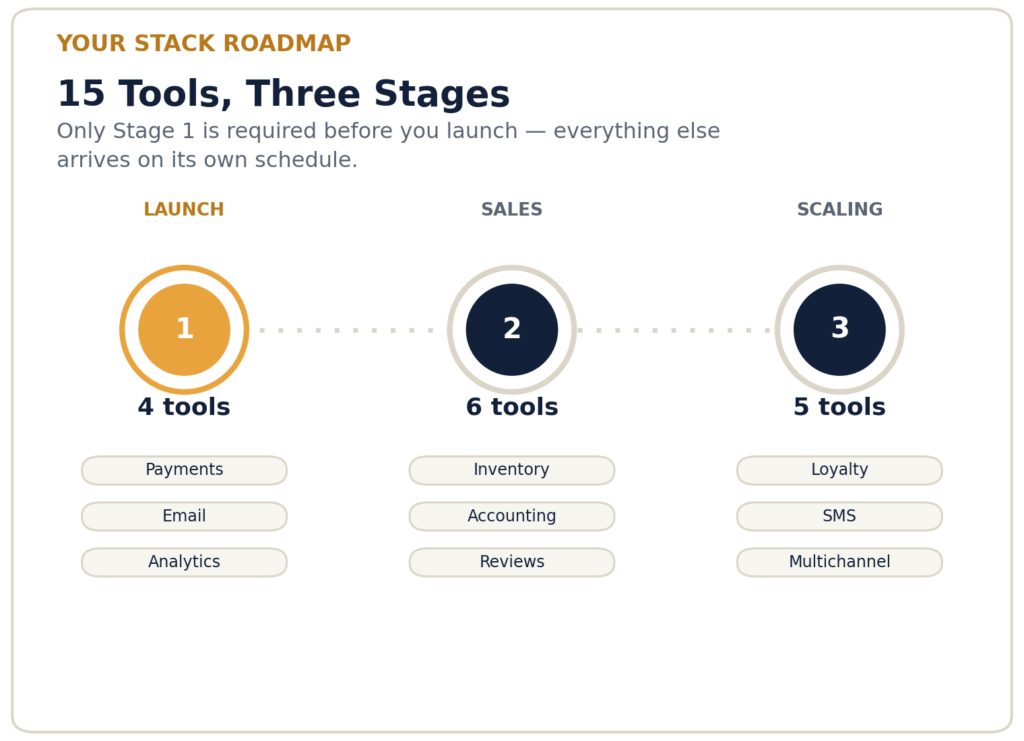
Only Stage 1 is required before you launch — everything else arrives on its own schedule.
Tier 1: Set Up Before You Launch
1. Payment Processor
Almost always built into your platform (Shopify Payments, WooCommerce Payments, or a connected Stripe/PayPal account). This isn’t optional — it’s the one piece of software every store needs from day one, and there’s rarely a reason to shop around before launch.
2. Email Capture and Marketing Tool
You need somewhere to send your first customer’s receipt and your first newsletter, even if you’re not running full campaigns yet. Our best email marketing software for Shopify sellers covers everything from free built-in tools to dedicated platforms — start with whichever free tier your platform includes.
3. Basic Analytics
Google Analytics is free and tells you what’s actually happening on your site — where visitors come from, what they look at, where they drop off. Set this up before launch, not after, so you have baseline data from day one instead of a gap in your history.
4. Security and SSL
Usually bundled into your platform’s hosting (Shopify, BigCommerce) or handled by your host if you’re on WooCommerce. Confirm it’s active before you launch — an unsecured checkout page is one of the few genuinely non-negotiable technical requirements.
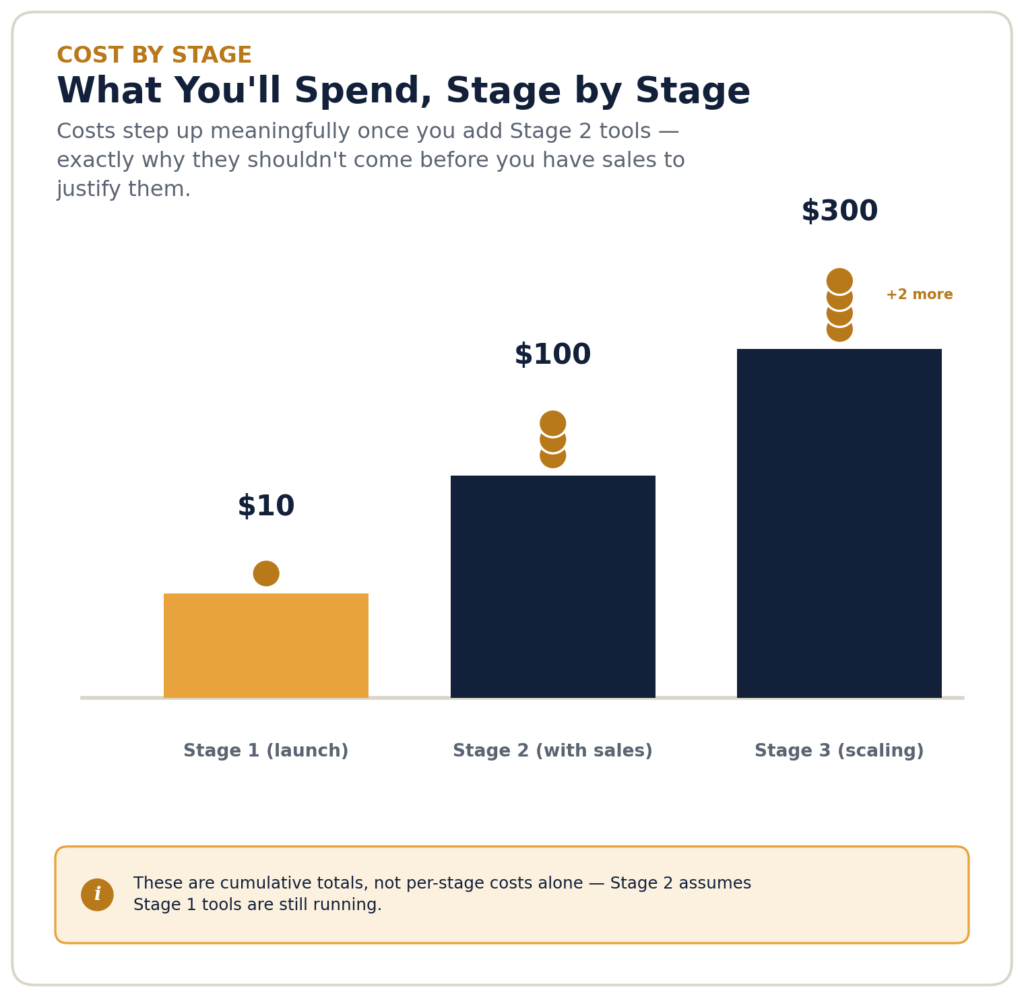
Costs step up meaningfully once you add Stage 2 tools — exactly why they shouldn’t come before you have sales to justify them.
Tier 2: Add Once You Have Consistent Sales
5. Inventory Management Software
Spreadsheets work fine at a handful of SKUs; they start causing real mistakes past that. Our best inventory management tools roundup covers options across free and paid tiers once you’re at this stage.
6. Accounting Software
Once transaction volume makes manual bookkeeping a real time cost, dedicated accounting software pays for itself. See our best accounting software for e-commerce comparison for options built specifically for online sellers rather than general small business use.
7. Customer Reviews App
Social proof meaningfully affects conversion once you have enough orders to generate real reviews. Adding this before you have customers to review anything is premature — there’s nothing for it to display yet.
8. Shipping and Label Printing Software
Manually calculating postage and printing labels one at a time becomes a real time sink past a handful of daily orders. Dedicated shipping software batches this work and often gets you better carrier rates than retail pricing.
9. AI Customer Support Tool
Once routine questions (shipping times, return policy, sizing) start eating real support time, an AI chatbot can handle the repetitive share automatically. Our best AI chatbots for Shopify guide covers free and paid options by support volume.
10. Abandoned Cart Recovery
Often bundled into your email marketing tool rather than a separate purchase — worth activating once you have enough traffic that recoverable abandoned carts are a meaningful number, not a handful a month.
Tier 3: Add Once You’re Scaling
11. Loyalty and Rewards Program
Only genuinely useful once you have a repeat-customer base worth incentivizing — premature on a store still working toward its first hundred customers.
12. SMS Marketing
A real channel once your list is large enough to justify per-message costs, and once you have the content volume to use it without annoying a small list.
13. AI Inventory Forecasting
Once you’re managing enough SKUs and sales history that manual reordering decisions are genuinely hard, AI forecasting tools reduce stockouts and overstock in ways that are hard to replicate manually. Our AI inventory forecasting guide covers this in depth — it requires real sales history to work well, so it’s not a day-one tool.
14. Multichannel Listing Tool
Once you’re ready to sell on Amazon, eBay, or social channels alongside your own store, a tool that syncs inventory and listings across channels prevents overselling and manual double-entry.
15. Help Desk / Ticketing System
A dedicated support inbox becomes worth it once a shared email address starts losing track of customer conversations — a sign you’ve outgrown “just reply from Gmail.”
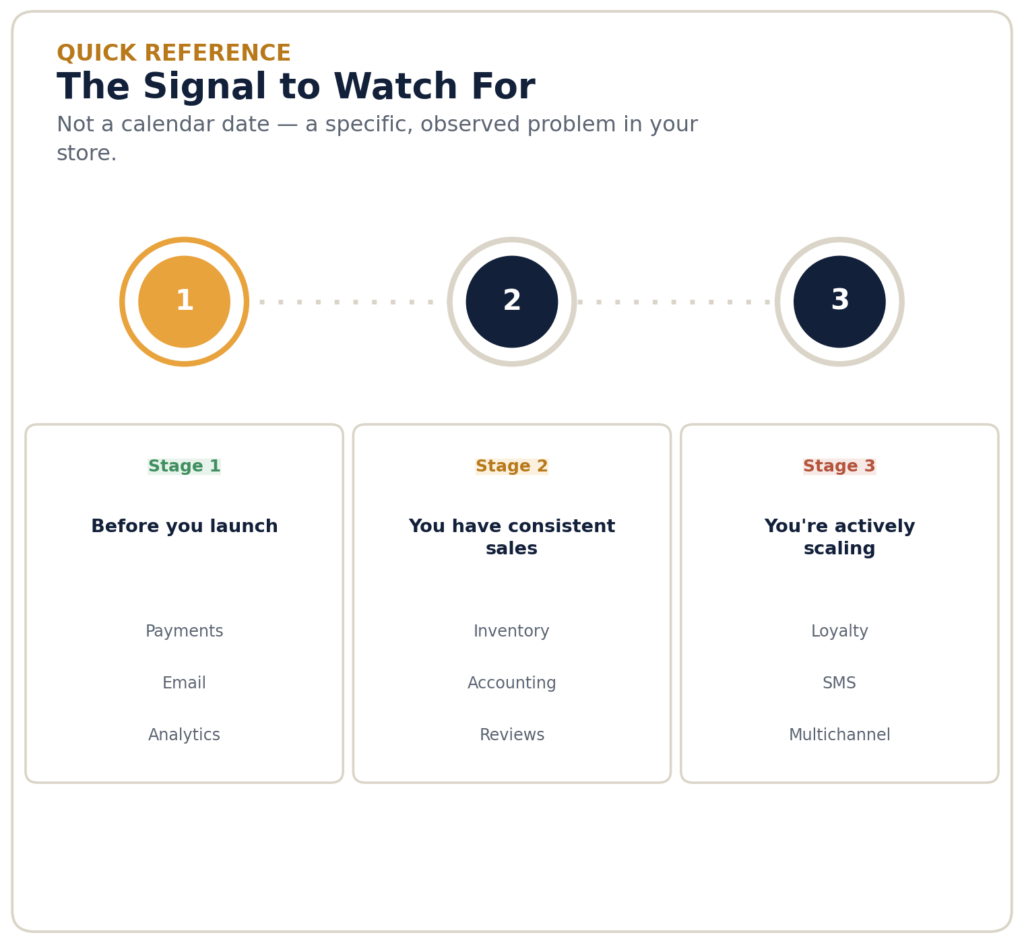
Not a calendar date — a specific, observed problem in your store.
Frequently Asked Questions
How Many Software Tools Does a New Online Store Actually Need at Launch?
Genuinely just four: a payment processor, one email tool, basic analytics, and security/SSL. Everything else on a typical “must-have” list is better added once you have real sales data showing you need it.
What’s the Biggest Mistake New Sellers Make With Their Software Stack?
Buying tools speculatively based on what an app marketplace or “essential tools” list recommends, rather than in response to an actual observed problem. Most new stores overspend on software before their first sale, not after.
Should I Use AI Tools From Day One?
No — AI tools (customer support chatbots, inventory forecasting) work best once you have real operational volume and, for forecasting specifically, real sales history to learn from. They’re tier-two and tier-three additions, not launch-day tools.
How Much Should a New Online Store Budget for Software Each Month?
A lean Tier 1 stack can run close to $0 using free tiers. Once you’ve added Tier 2 tools (inventory, accounting, reviews, shipping), expect somewhere in the $50–150/month range depending on your specific tool choices and sales volume.
Bottom Line: Building Your Software Stack in the Right Order
Bottom Line
The right software stack for a new online store isn’t about finding the fifteen best tools — it’s about sequencing them so you’re never paying for a solution to a problem you don’t have yet. Launch with the four genuine essentials, add Tier 2 tools as real sales volume justifies them, and save Tier 3 for once you’re actually scaling. For the full picture on platform choice, AI tools, and financing alongside your software decisions, see our complete guide to starting an online store.
Found a tool that changed how you run your stack? Email us at contact@ecomfundingguide.com — we read every message.
Pricing and features were current as of publication and may change — confirm current details directly on each provider’s site before subscribing.
How We Put This Stack Together
Tier placement reflects when each tool category typically starts paying for itself, cross-referenced against the deep-dive guides linked throughout this piece. We weighed:
Pricing and features were current as of publication and may change — confirm current details directly on each provider’s site before subscribing.